
Critical UniFi Controller Vulnerability Exposed: What You Need to Know and How Baychester IT Has You Protected
Is your network management infrastructure vulnerable? This week, Ubiquiti, the parent company of UniFi, shook the IT world by announcing not one, but two major vulnerabilities affecting its ubiquitous UniFi Network Application (formerly known as the UniFi Controller). The headlines are stark: a critical flaw (CVE-2026-22557) with a perfect, yet terrifying, 10.0 severity score. Unifi Network users should update to Network 10.1.89 immediately.
A vulnerability with a CVSS (Common Vulnerability Scoring System) of 10.0 isn’t just a patch; it’s a fire drill. This is a vulnerability that is easy to exploit, allows for remote code execution, requires no prior privileges, and allows for complete compromise of the target system. In the context of the UniFi Controller, this means a hacker could potentially take control of your entire network, including access to firewall rules, VPN configurations, device management, and user data.
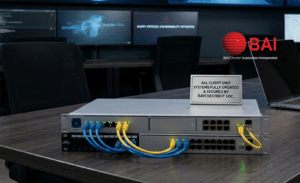
But before you panic, we have critical good news: For all Baychester IT clients on a Managed Services agreement, we have already patched your systems. Client systems were patched promptly after the advisory was posted. Your networks were analyzed, patched, and verified to be secure before you even knew there was a threat. This proactive approach is exactly why we insist on proactive management for our partners.
For everyone else, this article is for you. We are going to break down the technical details of what these vulnerabilities are, why they are so dangerous, who is affected, and what steps you must take to secure your network if you are managing it yourself.
The Dual Threat: Deconstructing the UniFi Network Vulnerabilities
Ubiquiti’s announcement detailed two key flaws. The critical vulnerability got the press, but the second one is a classic permission escalation flaw that poses a serious internal risk.
1. The Critical Threat: CVE-2026-22557 (Severity: 10.0 – Critical)
The Bug: Remote Path Traversal
This Unifi Network vulnerability sent shockwaves through the industry. The CVSS 10.0 rating is rare for a reason. This flaw occurs within the web management interface of the UniFi Network Application.
How it works (in simple terms): A “path traversal” (or directory traversal) vulnerability is like a software security flaw that allows a user to “step out” of the intended directory. Think of your application like a locked office. Normally, visitors (or users) can only stay in the lobby. A path traversal flaw is like a guest finding an unlocked back door that lets them into the secure filing cabinet area.
With CVE-2026-22557, a malicious actor doesn’t need to be a regular user. They don’t need any special privileges. By sending a specially crafted malicious request (often a simple URL) to the UniFi Controller, they can exploit this flaw to read and potentially write files on the underlying operating system.
The Danger: The ability to access and manipulate files opens the door to total catastrophe. A hacker could use this to:
- Bypass Authentication: Access configuration files that contain encrypted or, god forbid, plaintext credentials for the controller itself.
- Create Backdoors: Modify system files to allow them to maintain persistent access, even after the initial vulnerability is patched.
- Take Full Control: In many environments, the UniFi Controller is running with system-level privileges. Compromising the controller means compromising the entire server or device it is hosted on.
This is why CVE-2026-22557 is so critical. The simplicity of the exploit (low complexity) and the lack of needed authentication (no privileges required) create a perfect storm for automatic exploits and massive network takeovers.
Ubiquiti’s news release for CVE-2026-22557 can be found here. And the Unifi Network 10.1.89 patch can be found here.
2. The Authenticated Threat: CVE-2026-22558 (Severity: 7.7 – High)
The Bug: NoSQL Injection and Privilege Escalation
This second vulnerability is often overlooked because it requires the attacker to already have access (it is “authenticated”). However, it’s still a severe flaw.
How it works (in simple terms): This Unifi Network vulnerability involves NoSQL injection. Many modern web applications, including the UniFi Controller, use NoSQL databases (like MongoDB) for performance and flexibility. In this scenario, the application is not properly filtering user input.
An attacker, who is a low-privilege user within the UniFi application (e.g., someone with read-only access), can inject malicious code into their requests. When this code interacts with the NoSQL database, it tricks the database into executing commands it shouldn’t.
The Danger: The primary impact of this flaw is Privilege Escalation. A user who should only be able to view maps of your network can use this exploit to trick the database into making them a super-admin. Once they are a super-admin, they have the same access and power as the main administrator. They can modify configurations, disable security protocols, and gain the same kind of comprehensive network access as the user of the critical vulnerability.
This flaw is particularly dangerous for larger organizations where many users might have partial access to the UniFi management interface. It highlights that the threat isn’t always from the outside; it can come from within.
Who Is Affected? Are You Running a Self-Hosted Controller?
This is the most critical question. These vulnerabilities affect any instance of the UniFi Network Application (the “Controller”) itself. This includes:
- Self-Hosted Controllers: If you have downloaded and installed the UniFi software on your own server, a virtual machine, or a dedicated device like a Raspberry Pi, you are at risk. This is the largest group affected. Windows or Linux users should download either the Windows or Debian version of 10.1.89 immediately.
- UniFi OS Consoles (Older/Non-Standard): Some older UniFi hardware, or specific devices like the UniFi Express (UX), are also running affected versions.
Affected Versions: If you manage your own UniFi Network Application, you must verify your version number against this list. If you are running one of these versions, you are vulnerable:
- UniFi Network Application (Official Release): 10.1.85 and earlier.
- UniFi Network Application (Release Candidate): 10.2.93 and earlier.
- UniFi Express (UX): 9.0.114 and earlier.
If you don’t know what version you are running, you must check now. For self-hosted Windows or Linux instances, check the application’s information or the version number on your dashboard. For specific UniFi hardware like a Cloud Key or Dream Machine (UDM), you need to look at the UniFi OS management section.
Windows console users can install the package directly from the executable. Linux users can run apt-get from SSH. Either way ensure that you run a backup first. If running Linux you will also be required to upgrade the Java Runtime Environment to version 25 for version 10.1.89 to install.
The Immediate fix: How to Secure Your Self-Hosted UniFi Controller
If you have confirmed you are affected by the Unifi Network vulnerability CVE-2026-22557 or CVE-2026-22558, this isn’t a “next week” item. You must act immediately. Here is your action plan:
1. Patch, Patch, Patch. There is no alternative. You must update your UniFi Network Application (and for some hardware, the device firmware itself) to the version that includes the fix.
Required Mitigating Versions:
- UniFi Network Application (Official Release): Update to 10.1.89 or later.
- UniFi Network Application (Release Candidate): Update to 10.2.97 or later.
- UniFi Express (UX): Update firmware to 4.0.13 or later.
This is your most important step. Don’t rely on security-through-obscurity or hope you aren’t targeted. Automatic scripts are scanning the internet as you read this.
2. Audit Your User List. After you have successfully patched, you must verify that no unauthorized user creation or privilege escalation has already occurred.
- Review your administrator list within the UniFi Controller. Look for any new accounts that you didn’t create.
- Check the permissions of all existing accounts. Did a read-only account suddenly become a super-admin?
- Analyze your system logs for any unusual logins or anomalous activity.
3. Implement Security Best Practices (for the Long Haul). Beyond this specific network vulnerability with Unifi, there are standard practices that every self-hosted controller should follow:
- Use the Site Manager (Cloud Portal): This is the most secure method for remote access. Instead of exposing your controller directly to the internet via port-forwarding, use Ubiquiti’s Site Manager at
unifi.ui.com. This forces all remote traffic to traverse Ubiquiti’s secure infrastructure and ensures you are using multi-factor authentication (MFA) to access the portal itself. - Never Port-Forward Management Interfaces: As a general rule of thumb, you should never directly expose the management interface of any critical network infrastructure (firewalls, switches, storage arrays, or network controllers) directly to the public internet (i.e., port 80, 443, 8080, 8443, etc.). You should access these only locally or over a secure VPN.
- Implement MFA Everywhere: This should be mandatory for every account on your UniFi Controller and on your
ui.comaccount. It is your strongest defense against credential compromise.
This is Where Proactive IT pays off: The Baychester Advantage
We started this article with good news, and we want to reinforce it. If your agreement with Baychester IT includes Managed Network Services, you do not need to take any action.
This is the entire reason we exist. Our clients don’t just buy products from us; they buy peace of mind. They buy a shield against threats they don’t even know exist yet.
- Immediate Advisory Analysis: Our security team analyzed the advisory within minutes of its release to understand the scope and severity.
- Automated Asset Scanning: We immediately identified every instance of a vulnerable UniFi Controller within our entire client base. We don’t guess which client has what gear; we have a real-time, live inventory.
- Proactive Patching Deployment: While most of the world was reading the advisory, our team was already deploying the patched versions to our managed systems. This isn’t a manual process for us. We leverage centralized management and automation to push security updates rapidly and safely.
- Post-Patch Verification: Every deployment was verified for success. Our team manually checked a subset of devices to ensure the patch was properly applied and that there were no resulting configuration issues.
- Audit and Confirmation: We ran verification scans to confirm that all patched devices were now non-vulnerable.
This is the power of proactive IT management. While others are scrambling, reading forums, and worrying about their network security, our clients are simply continuing to run their businesses.
Don’t leave Your Security to Chance
The 10.0 severity rating of the UniFi vulnerability is a wake-up call for anyone self-managing their network infrastructure. It is a reminder that the tools we use for convenience can often be used against us.
If you are managing your own UniFi Controller and are still reading this, stop now and patch your system.
If you are realizing that you would rather focus on your business and leave the complex, critical, and 24/7 world of network security to the experts, we are here to help. This UniFi vulnerability won’t be the last major flaw discovered in popular network hardware. Reactive IT is expensive and dangerous. Proactive IT is an investment in your company’s safety and future.
Are you ready to stop worrying about vulnerabilities and start focusing on growth?
Contact Baychester IT today to learn how our Managed Services can provide you with the same level of proactive, automated security that protected all our clients from this critical threat. Let us handle the patches, the audits, and the security protocols so that you can handle your business.

For more information or to schedule a consultation about implementing Ubiquiti’s UniFi Ecosystem, contact Baychester Associates.
TECHNOLOGY MADE SIMPLE…