
UniFi Network 10.1.83: Everything You Need to Know Before Updating
Ubiquiti has released UniFi Network Application 10.1.83, an update that builds on the broader UniFi Network 10.1 platform and continues refining major improvements around reliability, wireless troubleshooting, visibility, and multi‑WAN management. Whether you’re running a home lab, a business network, or multiple UniFi sites, this update brings several meaningful changes worth understanding before you click “Upgrade.”
Below is a clear, user‑friendly breakdown of what’s new, what’s improved, and what you should expect after installing UniFi Network 10.1.83.
1. High Availability Gets Smarter and Easier to Configure
One of the biggest focuses of the 10.1 series is improving High Availability (HA), enabling administrators to run redundant gateways with confidence. Unifi Network Version 10.1.83 further enhances this experience with a more streamlined shadow gateway onboarding flow and better guidance during VRRP shadow mode setup.
Key improvements include:
- Automatic firmware parity checks
- Real‑time configuration synchronization
- A guided wizard that verifies every failover prerequisite
- Final “pre‑failover validation” to ensure everything is ready
This makes HA not only easier to set up but also more reliable—ideal for organizations that require maximum uptime.
2. Unifi Network 10.1.83 WiFi Doctor: One‑Click Wireless Troubleshooting
If you’ve ever spent hours diagnosing sticky clients, channel overlap, or roaming issues, WiFi Doctor may quickly become your favorite feature. Introduced in 10.1 and refined in 10.1.83, WiFi Doctor automatically detects and resolves common WiFi problems with a single click.
It can help optimize:
- Roaming performance
- IoT connectivity
- Band steering
- Channel configuration
This is particularly helpful in mixed environments with laptops, phones, smart home devices, and security systems competing for airtime.
3. New & Improved Roaming Insights: Visualize Every Client Journey
UniFi Network 10.1.83 further develops one of the most powerful diagnostic tools introduced in UniFi 10.1: Roaming Journey Visualization. This feature allows administrators to see exactly how clients roam between access points.
You can now filter roaming data by:
- Source and destination APs
- Signal strength
- Radio band
- Channel width
- Device tag
- Client type
This makes troubleshooting issues—like phones sticking to distant APs—significantly easier and more precise.
4. Enhanced Connectivity Insights & Radio Metrics
The Unifi Network 10.1.83 Connectivity section in the Radio view has been expanded to include more actionable insights into AP health and client behavior.
Enhancements include:
- New AirTime charts
- Better interference metrics
- Packet capture downloads
- Access Point filters in AirView
- More visibility into multicast activity
- Active client distribution diagrams
These improvements help administrators understand spectral conditions and client behavior more thoroughly—especially helpful in busy networks.
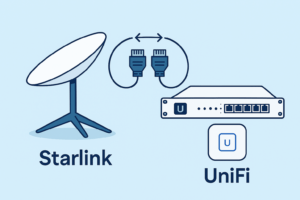
5. Unifi Network 10.1 Starlink Integration Gets First‑Class Visibility
For Unifi Network 10.1.83 users running Starlink as a primary or failover WAN, this release brings significant improvements.
The update adds:
- Live Starlink firmware status
- Obstruction and RF visibility
- Multi‑WAN dashboard enhancements
Important requirements:
- Starlink router must be directly connected to a UniFi Gateway
- The LAN subnet cannot use 192.168.100.0/24 (This is because Flatty McFlat Face uses this subnet for management)
If you rely on Starlink in rural or mobile scenarios, this integration makes diagnostics and monitoring dramatically easier. We would love to assist with this integration!
6. Stronger Logging, Filtering, and Insights
Administrators now have more powerful logging and filtering tools, enabling clearer system visibility.
Enhancements include:
- Audit log filters by admin
- Access Point meshing logs
- Better log categorization
- Device and client‑level filters
Whether you’re tracking down a rogue device or analyzing performance trends, these filters save time and reduce noise.
7. Quality‑of‑Life Updates Across the Dashboard
There are dozens of small refinements in Unifi Network 10.1.83 that make everyday operations smoother.
Notable additions:
- Device tags for faster searching
- Optional AP name broadcast for site surveys
- Updated WiFi experience metrics (including 6GHz APs)
- AP and client insights panel improvements
- Notices about available updates
- WAN and port manager enhancements
Though subtle, these many micro‑improvements add up to a much more polished UniFi experience.
Who Should Update Now?
You should strongly consider updating if:
- You manage a network with multiple APs
- You rely on Starlink for WAN
- You’ve experienced roaming or connectivity challenges
- You want better WiFi troubleshooting tools
- You use (or plan to use) High Availability
- You want cleaner logging and diagnostics
If you’re managing only a single AP and gateway in a simple home environment, the update is still beneficial—but not urgent.

For more information or to schedule a consultation about implementing Ubiquiti’s UniFi Ecosystem, contact Baychester Associates.
TECHNOLOGY MADE SIMPLE…