
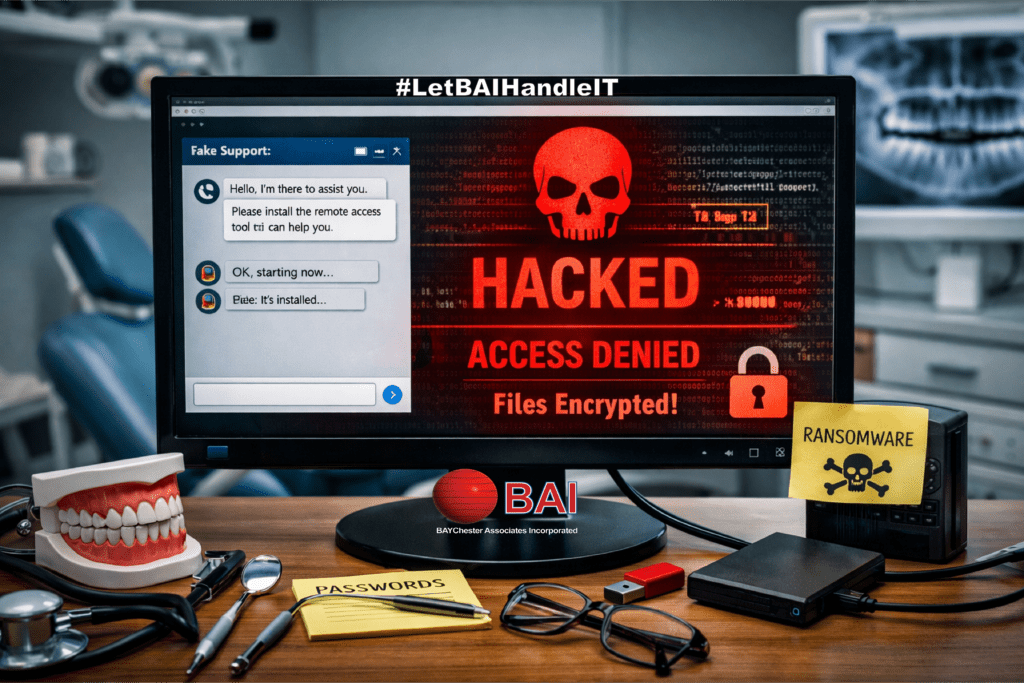
A Situation That Started Like Any Other
A dental practice recently reached out after experiencing a severe data loss event. Their situation did not begin with a phishing email or a suspicious download. It began with something far more common. A simple Google search directed to fake tech support scam.
The practice needed technical support for their dental imaging software. Like many businesses, they turned to Google to find a support number. What they found appeared legitimate. The website looked professional, carried the branding of the software vendor, and even offered live chat support.
There were no obvious red flags at first glance.
This is where the problem began.
The Rise of Fake Tech Support Scam Websites
Cybercriminals have become increasingly skilled at building convincing imitation websites. These sites are designed to rank in search results or appear through paid ads. According to guidance from the Federal Trade Commission, tech support scams continue to cost businesses and individuals millions each year, often beginning with a simple online search.
In this case, the dental office unknowingly landed on one of these fraudulent sites.
The layout matched the real vendor. The language sounded professional. Even the support process felt familiar. The staff initiated a chat session, believing they were speaking with legitimate technical support.
The Moment of Access
During the chat session, the fake tech “support technician” requested that the user install a screen sharing application. This is a common and legitimate practice in real support scenarios. That is what made the request seem reasonable.
Once the software was installed, the attacker gained full visibility and control of the system.
At that point, the situation shifted from inconvenience to compromise.
The attacker had access to the workstation, the network, and potentially sensitive patient data. More importantly, they now had the ability to deploy malicious software directly onto the system.
The Hidden Threat
The malware was not immediately disruptive. That is often by design.
Modern ransomware attacks are rarely instant. Instead, attackers take time to:
- Explore the network
- Identify valuable data
- Locate backups
- Ensure maximum impact before execution
In this case, the malware remained dormant until it was triggered. When it activated, it encrypted nine years of dental imaging data.
Nine years of patient records. Gone in moments.
Why Dental Practices Are Targeted | Fake Tech Support Scams
Healthcare-related businesses, including dental offices, are prime targets for cyberattacks. They manage large volumes of sensitive data, often rely on specialized software, and may not have dedicated in-house IT security teams.
The Cybersecurity and Infrastructure Security Agency has repeatedly noted that small and mid-sized healthcare providers are particularly vulnerable due to limited security resources and increasing dependence on digital systems.
In a dental environment, imaging systems are critical. Without access to those records, patient care can be delayed, disrupted, or even halted.
The Cost of a Single Mistake
It is important to be clear. The staff at the dental practice did not act recklessly.
They followed what appeared to be a normal support process. They searched for help. They contacted a support representative. They followed instructions that seemed standard.
This makes these types of attacks very dangerous. There were few signs to indicate that this was a fake tech support scam.
The consequences, however, were severe:
- Loss of access to critical patient imaging
- Operational disruption
- Potential compliance concerns
- Significant recovery costs
For many businesses, this type of event can lead to extended downtime or even permanent closure.
Where Backup Made the Difference
Fortunately, this story did not end in total loss.
The dental practice had implemented a disaster recovery plan through Baychester Associates.
BAI’s 4-2-1-1 backup strategy ensures that:
- Multiple copies of data existed
- Backups were stored across different media
- At least one copy was offsite
- One copy was isolated and immutable
When the ransomware executed, it encrypted the primary data. However, it could not reach the protected backup layers.
Using the 4-2-1-1 system, the practice was able to restore their imaging data.
What could have been a permanent loss became a temporary setback.
Understanding the 4-2-1-1 Backup Strategy
A strong backup strategy is not just about having copies. It is about having the right kind of copies.
The 4-2-1-1 model expands on traditional backup methods by adding redundancy and protection against modern threats:
- 4 copies of data
- 2 different storage types
- 1 offsite backup
- 1 immutable or offline backup
This final layer is critical. Many ransomware attacks specifically target backup systems. If backups are not protected, they are often deleted or encrypted along with production data.
This is why a properly designed backup solution is not optional. It is essential.
If you would like to understand how this approach is implemented in a managed environment, you can review our internal solution here:
https://baychester.com/bai-4-2-1-1-managed-backup-and-disaster-recovery/
How This Could Have Been Prevented
While backup saved the data, prevention is always the better path.
There are several steps that can take to recognize fake tech support scams and reduce the risk of this type of incident:
1. Verify Support Sources
Always access vendor support through known, trusted channels. Bookmark official websites. Avoid relying on search results alone.
2. Be Cautious with Screen Sharing
Only allow remote access from verified technicians. If there is any uncertainty, stop the session.
3. Use Endpoint Protection
Advanced endpoint security can detect and block malicious activity before it spreads.
4. Train Staff
Employees should understand how these fake tech support scams work. Awareness is one of the strongest defenses.
5. Implement Managed IT Oversight
Having a managed provider monitor systems can help detect unusual activity early and respond quickly.
A Broader Lesson for Small Businesses
This incident highlights a larger issue. Cyber threats are no longer limited to obvious scams or suspicious emails.
They are embedded in everyday actions:
- Searching for help
- Installing common tools
- Following standard procedures
Attackers rely on trust and routine.
Small businesses often assume they are not targets. In reality, they are frequently the easiest targets.
Moving Forward with Confidence
The dental practice in this case recovered their data. They were able to continue operations and serve their patients.
That outcome was not due to luck. It was due to preparation.
A strong backup strategy, combined with the right support, turned a potentially devastating event into a manageable recovery.
Final Thoughts
If there is one takeaway from this situation, it is this:
Cybersecurity is not just about stopping attacks. It is about being prepared when something goes wrong.
Mistakes happen. Deception is getting harder to detect. Systems fail.
What matters is how well your business can recover.
If your current setup does not include layered backups, endpoint protection, and managed oversight, it may be time to take a closer look.

Let us prepare your business for continuity now! contact Baychester Associates.
TECHNOLOGY MADE SIMPLE…